 BIT-CCTV
BIT-CCTV
BIT-CCTV
Global buyers are rethinking how cameras are controlled in studios, control rooms, houses of worship, and live venues. A Keyboard Ptz controller can turn slow mouse movements into deliberate joystick commands. It can also coordinate pan, tilt, zoom, focus, presets, and camera selection from one physical workstation. That difference becomes clear when an operator follows a speaker crossing a stage. Small controls matter.
Industry data supports this shift. Grand View Research reported that the global video surveillance market continued expanding through 2024, driven by IP cameras, cloud systems, and intelligent monitoring. MarketsandMarkets also identifies PTZ cameras, remote operations, and centralized control as important areas within professional video infrastructure. These reports describe broad equipment demand, not every controller purchase. Still, they show why buyers need more than camera specifications. Control accuracy, protocol compatibility, ergonomics, and long-term support deserve equal attention.
This guide examines leading keyboard-style PTZ controllers for international buyers. It considers joystick response, programmable keys, VISCA and network control, tally integration, PoE requirements, language support, and after-sales service. It also looks at practical details, such as whether a dim control room reveals key legends clearly. Reliability is harder to judge from a product page. Some manufacturers publish excellent specifications but provide limited field evidence. That gap deserves scrutiny. Buyers should compare independent testing, warranty terms, firmware history, and operator feedback before choosing equipment. The “best” controller may not be the most expensive model. It should fit the camera fleet, production workflow, regional power standards, and the people using it every day.
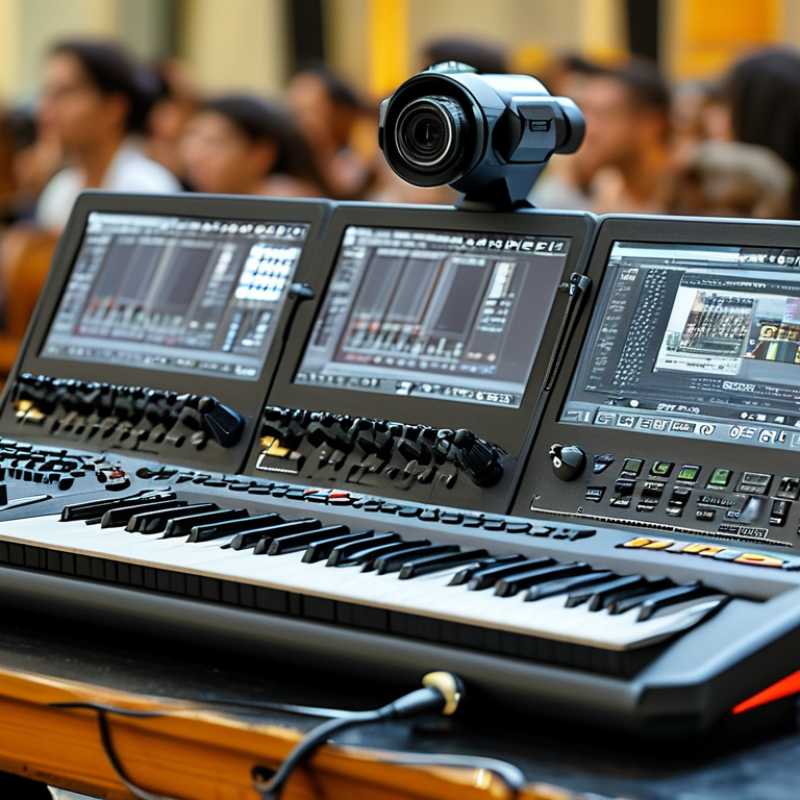
Top Keyboard PTZ Controllers for Global Buyers
A keyboard PTZ controller is a physical command center for pan, tilt, and zoom cameras. It usually combines a three-axis joystick, zoom rocker, focus controls, and programmable buttons. The operator moves the camera smoothly, stores presets, and recalls them during a live session. Commands travel through RS-232, RS-422, or IP networks. Some models also receive power through Ethernet, reducing cable clutter.
AVIXA’s 2024 Industry Outlook and Trends Analysis estimated the global professional audiovisual industry at about $306 billion in 2023. Grand View Research also reported strong growth in the global video conferencing market, driven by hybrid work and remote production. These figures explain the demand for faster camera control. Yet, a controller cannot fix poor network design. I have seen operators lose valuable seconds because presets were named vaguely. The lesson is simple: control logic matters as much as hardware.
Tips: Check protocol compatibility before buying. Test joystick sensitivity with slow diagonal movements. Label presets by room position, not speaker names. Confirm power, voltage, and keyboard language requirements for each market. A wired connection is often more predictable than wireless control. Still, wireless setups can be practical when cable paths are difficult. Test both before installation.
Comparison of common keyboard PTZ controller configurations and the features that matter when selecting equipment for global video-production environments.
| Controller Configuration | Main PTZ Controls | Typical Camera Protocols | Connection Options | Preset Capacity | Best-Fit Application | Key Buying Consideration |
|---|---|---|---|---|---|---|
| Compact 3-Axis Keyboard Controller | Joystick for pan, tilt and zoom; focus and speed controls; preset recall | VISCA, VISCA over IP, Pelco-D and Pelco-P are commonly supported | RS-232, RS-422, RS-485 and, on some models, Ethernet | Usually 100 or more, depending on the connected camera | Small studios, classrooms, houses of worship and remote teaching | Confirm joystick response, serial pinout and camera compatibility |
| Broadcast-Style Keyboard Controller | Hall-effect or precision joystick, variable pan/tilt/zoom speed, focus, iris and camera selection | VISCA, VISCA over IP, Pelco protocols and manufacturer-specific IP control may be available | Multiple serial ports plus Ethernet; some units support redundant network paths | Commonly supports 100–255 presets per camera, subject to camera limits | Live production, conference centers, television studios and event venues | Prioritize tactile control, low-latency operation and programmable buttons |
| IP-Network PTZ Controller | Joystick control, camera selection, presets, speed adjustment and network configuration | VISCA over IP, HTTP or HTTPS control; compatibility with network video systems varies | Ethernet is primary; PoE is available on selected controllers | Often 100 or more presets per camera, depending on the camera system | Multi-room facilities, corporate networks and distributed production | Check IP addressing, VLAN requirements, port numbers and security features |
| NDI-Oriented PTZ Controller | Joystick, zoom rocker or lever, focus control, preset recall and source selection | NDI control features vary by camera and firmware; VISCA over IP is also commonly used | Gigabit Ethernet is recommended for networked video environments | Typically controlled by the camera profile rather than the keyboard alone | IP video studios, streaming operations and software-based production rooms | Verify NDI version, discovery behavior, bandwidth and network isolation |
| Touchscreen Keyboard Controller | Joystick plus touchscreen menus for camera selection, presets, exposure and system setup | Usually supports one or more of VISCA, VISCA over IP, Pelco-D and Pelco-P | Serial interfaces and Ethernet are common; exact port combinations differ | Often 100–255 presets per camera, subject to the camera model | Production teams requiring visual menus and fast system configuration | Evaluate screen visibility, menu language, boot time and operator workflow |
| Rack or Desktop Hybrid Controller | Joystick, buttons or keys for pan, tilt, zoom, focus, presets and camera switching | Protocol support may include VISCA, VISCA over IP, Pelco-D and Pelco-P | Designed for serial rack systems, Ethernet networks or both | Generally follows the preset limit of the connected camera | Control rooms, mobile production racks and permanent AV installations | Check mounting depth, power supply format, port accessibility and cable management |
It controls a camera’s pan, tilt, and zoom movements from one physical console. Operators can also adjust focus, select cameras, and recall stored positions. It becomes a practical command center.
Common connections include RS-232, RS-422, and IP networks. Some controllers also receive power through Ethernet, reducing cable clutter. Check compatibility first.
Test the joystick at slow, fast, and diagonal movements. A balanced joystick should frame a person without sudden corrections. Smooth control matters more than extra buttons.
Presets let operators recall camera positions quickly during meetings or events. Use labels such as “front-left podium” instead of vague names. Clear labels save seconds.
Confirm protocols, voltage, power options, keyboard language, and network requirements. Test the controller with the actual camera system before final installation. Specifications can look better than reality.
Wired connections are often more predictable in busy production spaces. Wireless control may help where cable paths are difficult. Test both options before installation.
A compact model with a simple joystick, clear zoom buttons, and large labels may work well. Tactile keys help when lighting is dim. Keep it simple.
Mobile crews need lightweight housing, flexible power, and controls that survive frequent transport. Small units save space but may feel cramped during long sessions. That trade-off deserves attention.
Test joystick tension, key travel, wrist position, and control spacing during a full rehearsal. A stiff surface may cause fatigue after several hours. I once underestimated that problem.
A Keyboard Ptz controller is a dedicated hardware interface that allows operators to manage pan, tilt, zoom, focus, camera selection, presets, and other functions from a physical control surface. Compared with software-only control, it can provide faster response, clearer tactile feedback, and more reliable operation during live production, conferencing, education, worship, and security monitoring. When comparing models, users should examine joystick precision, key layout, programmable buttons, display quality, connection methods, protocol support, power options, durability, and ease of integration with existing camera systems.
Different users may prefer compact controllers for mobile setups, full-sized panels for studios, or network-enabled units for multi-camera environments. Global buyers should also check regional power requirements, connector standards, language support, network compatibility, and applicable communication protocols. A practical selection process includes confirming system requirements, planning cable and network connections, installing the controller securely, configuring camera addresses and presets, and testing every function before operation. Clear labeling, operator training, and regular maintenance can further improve efficiency and reliability.
