 BIT-CCTV
BIT-CCTV
BIT-CCTV
Choosing a Pan Tilt Zoom camera for international use involves more than comparing megapixels. A camera may look impressive online, yet perform poorly under dim warehouse lights or bright coastal sunlight. Practical testing matters. Small details matter.
This guide introduces seven buying tips for global buyers. It examines optical zoom, pan and tilt speed, image clarity, low-light performance, network protocols, power options, and weather protection. It also considers installation environments, language settings, technical support, and warranty coverage. These factors can affect daily operation across offices, schools, factories, hotels, and outdoor sites.
Experienced installers often check the camera’s real viewing distance before approving a purchase. A quoted zoom range does not always deliver useful facial or license-plate detail. That assumption can fail. Buyers should review sample footage, not only product photos. Manufacturer specifications provide a starting point, while independent reviews and field demonstrations add valuable evidence.
Global projects require extra care. Voltage compatibility, regional connectivity, data handling, and product certifications may differ between markets. Confirm these details with the supplier and qualified local professionals. No single model suits every location. Even experienced buyers can overlook mounting height or unstable network conditions. We will point out these practical weaknesses honestly, so your decision becomes more reliable. The goal is not to promote the most expensive camera. It is to identify a dependable system that matches your site, budget, operators, and long-term support needs.
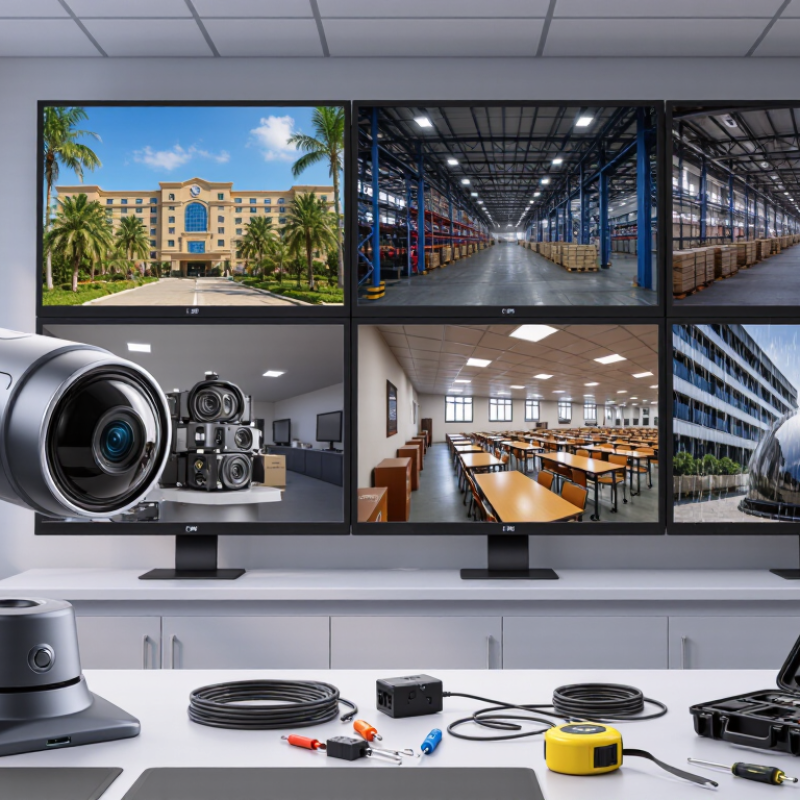
A PTZ camera combines pan, tilt, and optical zoom for wide-area monitoring. Global buyers should define the camera type before comparing specifications. Indoor models suit controlled lighting and clean environments. Outdoor models need weather protection, stable mounting, and dependable temperature performance. Some systems include auto-tracking, while others rely on manual operation. The difference matters during live events, remote inspections, and security monitoring.
Tip: Test control speed, not just movement range. A joystick, keyboard, web interface, or control API can change the operator’s experience. Check preset accuracy, focus recovery, zoom response, and network latency. A camera may offer impressive movement, yet feel slow during real operation. I have seen specifications hide this weakness. Practical testing remains necessary.
Core imaging features deserve equal attention. Sensor size affects detail and low-light performance. Optical zoom preserves image quality better than digital enlargement. Wide dynamic range helps when bright windows meet dark interiors. Look at frame rate, autofocus behavior, image stabilization, and video compression. Night images can still appear noisy. No camera performs perfectly in every scene. Buyers should request sample footage from daylight, backlighting, and dim environments before purchase. Also verify power options, network compatibility, cybersecurity settings, and local support for the target region.
| Buying Tip | PTZ Camera Type or Feature | Typical Technical Data | Control and Connectivity | Best-Fit Application | What Global Buyers Should Check |
|---|---|---|---|---|---|
| 1. Match the camera type to the installation | Indoor PTZ | Usually compact; commonly 1080p or 4K; often without weather protection; suitable for controlled lighting. | USB, HDMI, IP streaming, IR remote, or serial control depending on model. | Meeting rooms, classrooms, studios, houses of worship, and training spaces. | Confirm mounting method, room size, ventilation, acoustic noise, and local power requirements. |
| 2. Select protection for outdoor conditions | Outdoor PTZ | Common protection levels include IP66 for dust-tight and water-jet resistance; operating temperature varies by enclosure. | Ethernet, PoE or high-power PoE variants, RS-485, alarm I/O, and surge-protection options. | Perimeters, transport areas, campuses, construction sites, and public spaces. | Check IP and IK ratings, corrosion resistance, heater or fan requirements, lightning protection, and regional safety certifications. |
| 3. Choose optical zoom based on viewing distance | Standard-zoom PTZ | Approximately 10× to 20× optical zoom; suitable for short-to-medium distances and moderate framing changes. | Preset positions, manual pan/tilt/zoom, autofocus, and proportional-speed control are commonly available. | Small venues, classrooms, boardrooms, and general surveillance. | Prioritize optical zoom over digital zoom; calculate the required field of view at the farthest subject. |
| 4. Use long-range optics when detail matters | Long-zoom PTZ | Approximately 25× to 40× optical zoom; narrow fields of view support distant subjects, but require stable mounting. | High-precision pan/tilt motors, preset tours, digital image stabilization on selected models, and remote focus control. | Large venues, city surveillance, sports fields, ports, utility sites, and long corridors. | Compare focal-length range, minimum focus distance, stabilization, wind tolerance, and low-light performance at maximum zoom. |
| 5. Define resolution and frame-rate needs | Full HD or 4K PTZ | Full HD is 1920 × 1080; UHD 4K is commonly 3840 × 2160. Typical frame rates range from 25/30 fps to 50/60 fps. | HDMI, 3G-SDI or 12G-SDI on selected production models, USB, and IP video outputs. | 1080p for conferencing and standard monitoring; 4K for cropping, large displays, and detailed recording. | Verify actual output resolution, frame rate at each interface, bandwidth demand, recording compatibility, and display support. |
| 6. Evaluate core imaging performance | Low-light and high-dynamic-range imaging | Common sensor formats include 1/2.8-inch and 1/2.5-inch; WDR helps balance bright windows and darker foregrounds; 3D noise reduction can reduce grain. | Exposure, white balance, shutter, gain, iris, focus, backlight compensation, and WDR may be adjustable. | Stages, entrances, conference rooms with windows, night monitoring, and mixed-light environments. | Request sample footage in similar lighting; compare lens aperture, minimum illumination claims, highlight retention, color accuracy, and autofocus behavior. |
| 7. Confirm control protocols and system compatibility | Networked or broadcast-control PTZ | Typical video codecs include H.264 and H.265; common streaming protocols include RTSP, while interoperability may include ONVIF profiles. | IP VISCA, RS-232, RS-422, RS-485, ONVIF, HTTP/HTTPS, RTSP, SRT, NDI, or SDI depending on configuration. | Multi-camera production, video conferencing, security control rooms, distance learning, and live streaming. | Check protocol versions, authentication, VLAN support, PoE class, latency, bitrate controls, firmware policy, cybersecurity features, and integration with the existing software. |
Measure the farthest target first. A large yard may need 25x optical zoom. A short corridor may need much less. More zoom is not always better.
Pan speed helps follow moving people or vehicles. Tilt range matters near fences, entrances, and loading areas. A narrow range can leave blind spots.
Test faces, signs, and vehicles at dusk. Check motion blur, color loss, noise, and exposure delays. Night footage often changes the decision.
No. A 4K image needs good lighting, lens quality, and stable transmission. Digital zoom may lose useful detail after cropping. Sharp edges can still hide important information.
Test a person who pauses, turns, and passes behind someone. Try fences, glass, shadows, and moving vehicles. Smooth tracking matters more than impressive demonstrations.
A camera may miss an event if it returns slowly. Check patrol speed, preset positions, and recovery after obstruction. Small delays become obvious at a busy gate.
Yes. Install one camera in the real mounting position. Check glass glare, pole vibration, and blur during rapid movement. One test can expose several assumptions.
Short control delays help operators respond during moving incidents. Interoperability standards may support mixed equipment. Still, field testing matters more than paperwork. I might trust specifications too much.
Choosing the right Pan Tilt Zoom camera requires more than comparing specifications. Global buyers should first understand the differences between camera types, control methods, and essential imaging functions. Consider whether the camera’s pan range, tilt movement, and optical zoom strength match the size, distance, and activity level of the monitoring area. Resolution, low-light performance, image stability, and intelligent tracking also play an important role in maintaining clear, dependable footage under changing conditions.
Before purchasing, review connectivity options, software compatibility, power requirements, mounting methods, and installation complexity. A practical evaluation should also include operating reliability, warranty coverage, technical support, replacement availability, and the total cost of ownership. Buyers should confirm that the equipment can integrate with existing systems and meet applicable regional requirements. By balancing performance, flexibility, durability, and long-term value, organizations can select a Pan Tilt Zoom solution that supports efficient monitoring across different environments and markets.
