
BIT-CCTV
Buying Cctv Security equipment across borders is rarely as simple as comparing camera prices. Global buyers must examine image quality, storage design, cybersecurity, installation conditions, and long-term support. A camera that performs well in a bright showroom may struggle beside a wet loading dock or dusty roadside gate. Small details matter.
Bruce Schneier, a widely respected security technologist, has said, “Security is a process, not a product.” His observation fits modern Cctv Security purchasing. Reliable protection depends on regular firmware updates, controlled user access, tested backups, and clear maintenance responsibilities. It also requires honest evaluation of privacy expectations, data handling, and local compliance requirements. These factors can differ sharply between countries and business sectors.
This guide presents ten practical buying tips for global buyers. It considers sensor performance, night vision, weather resistance, video compression, storage costs, network stability, and supplier credibility. It also explains why open standards can reduce future replacement problems. Not every expensive system is dependable. Not every low-cost system is poor. That assumption needs challenging. A careful buyer should request sample footage, verify warranty terms, and test remote access before signing a large order. Mistakes still happen, especially when specifications look impressive but lack measurable details. The goal is not to purchase the most cameras. It is to build a Cctv Security system that remains useful, secure, maintainable, and accountable after installation.
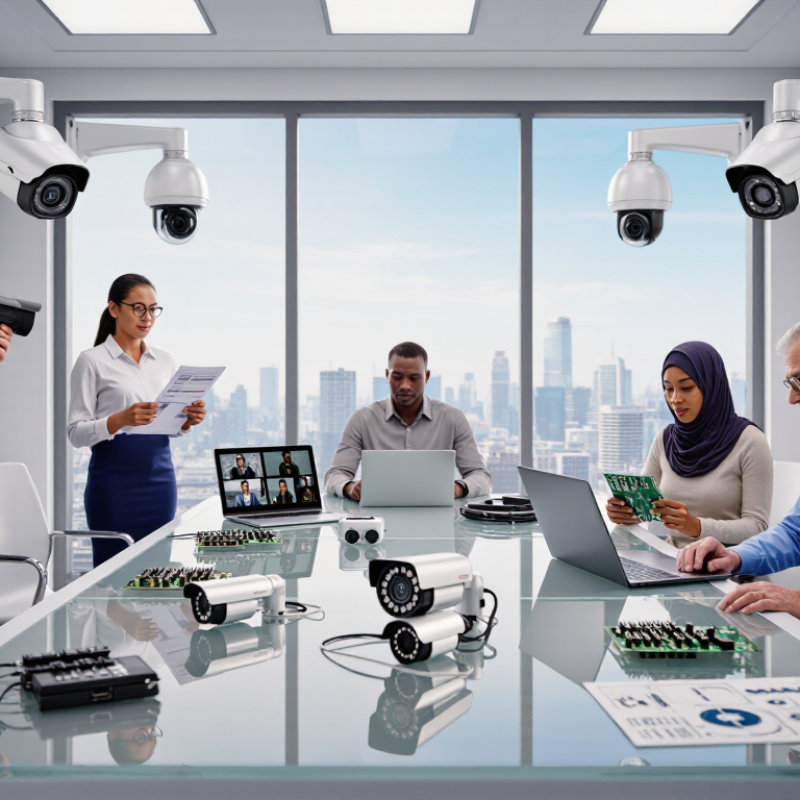
Define the site before comparing cameras, recorders, or software. Walk every entrance, loading bay, corridor, and blind corner. Note distance, lighting, weather, network access, and expected visitor movement. A camera facing a bright doorway may produce silhouettes, not evidence. According to MarketsandMarkets’ 2024 video surveillance report, analytics and cloud-connected systems remain major growth areas. That trend matters, but it should not replace a practical site survey.
Global buyers should document temperature ranges, local power conditions, language needs, and maintenance skills. A coastal site needs corrosion planning. A remote warehouse needs a recovery plan for weak connectivity. Do not assume every camera fits every site. That assumption is often wrong. The 2024 State of Security report from Genetec found that organizations continue to manage complex, mixed security environments, reinforcing the value of interoperability checks. Test one complete camera route before wider purchasing. Review recorded faces, motion alerts, export speed, and operator workload. I would also leave a modest budget for changes, because the first drawing rarely reflects real life.
Global CCTV buyers should compare image performance, not just megapixel counts. The MarketsandMarkets 2024 Video Surveillance Market report estimates growth from about USD 53.7 billion in 2024 to USD 83.3 billion by 2029. That expansion makes careful specification more important.
Fixed cameras suit entrances and corridors because their viewing angle remains predictable. PTZ cameras cover wider areas, but they may miss activity outside their current position. Dome housings offer discreet installation, while bullet designs often provide clearer long-distance viewing. Thermal cameras detect heat signatures, yet they cannot replace detailed visible-light images. In practice, an eight-megapixel camera with poor night exposure can perform worse than a lower-resolution model with stronger sensors and processing.
Check the lens, lux rating, infrared range, and wide dynamic range together. A bright glass entrance can create a dark face unless WDR handles backlighting properly. For identification, test a real face at the expected distance, not a showroom wall. The UK Home Office guidance on CCTV image quality stresses that usable evidence depends on pixels across the target, camera placement, and scene conditions. Compression also matters; excessive bitrate reduction can erase hair, fabric, or license-plate detail. Storage calculations should include frame rate, motion activity, and retention time. Specifications can mislead. A field test remains the more reliable buying decision.
Tip 1: Check the standards required in your destination market before comparing camera prices. Requirements may cover electrical safety, electromagnetic compatibility, cybersecurity, and weather resistance. A warehouse installation needs different protection from an indoor office system. Look for test reports, certificate numbers, issuing laboratories, and valid dates. Do not trust a logo alone. I once reviewed a certificate that covered only the power adapter, not the camera.
Tip 2: Examine privacy obligations before placing cameras. Confirm whether local rules require visible notices, limited retention, restricted access, or written policies. Facial recognition and audio recording may need stricter controls. Store footage securely, define deletion schedules, and document who can export files. Test the privacy settings during a small pilot. Real sites often reveal problems that brochures hide.
Tip 3: Verify certification scope and local acceptance. Ask whether the exact model, lens, firmware version, and bundled accessories were tested. Check certification databases where available, not only supplier documents. Also review software update practices, password controls, encryption, and vulnerability reporting. These details support reliable operation over time. Still, certification is not proof of perfect security. Treat it as evidence, not a final answer.
10 CCTV Security Buying Tips for Global Buyers?
A reliable CCTV purchase starts with the supplier, not the camera’s feature list. Request company registration details, factory test records, sample units, and recent customer references. Ask how they control component changes. A cheaper supplier may quietly replace a sensor or power adapter. That mistake can appear months later. Test samples for image clarity, night performance, heat tolerance, and network stability. Keep identical settings during comparisons.
Warranty language deserves close attention. Confirm coverage periods, excluded parts, shipping responsibility, repair times, and replacement procedures. Ask whether the warranty begins at shipment or installation. Obtain every promise in writing. A three-year warranty sounds strong, but slow claims handling can make it weak. Check the return authorization process before placing a large order. Keep serial numbers, invoices, test videos, and installation dates in one file.
Technical support often decides whether a system stays useful. Confirm support hours, response targets, available languages, and remote troubleshooting methods. Ask how firmware updates are delivered and documented. Request clear instructions for configuration, maintenance, and safe password changes. In my experience, patient support matters more than impressive sales presentations. I once trusted a polished demonstration too quickly. The sample worked well, but support became uncertain after delivery. That experience still shapes my supplier checks. Reliability is not a slogan; it is consistent performance, documented service, and honest communication.
| No. | Buying Dimension | Recommended Evaluation Benchmark | Documents and Tests to Request | Why It Matters for Global Buyers |
|---|---|---|---|---|
| 1 | Supplier Qualification | Prefer suppliers with a documented quality-management process, traceable production records, and at least three verifiable commercial references for comparable projects. | Request a company registration record, factory audit report, quality certificates, production-capacity statement, and redacted project references. Verify that the legal entity on the quotation matches the contracting entity. | Reduces the risk of inconsistent production, unauthorized subcontracting, unclear liability, and difficulty enforcing contractual obligations across borders. |
| 2 | Image Performance | Compare resolution, lens angle, minimum illumination, dynamic range, frame rate, and compression under the same test conditions. For identification tasks, test the intended scene rather than relying only on megapixels. | Request original daylight and low-light sample footage, lens specifications, test-scene details, bitrate settings, and evidence of performance with backlighting or high-contrast scenes. | A higher pixel count does not automatically provide better identification. Poor low-light performance, excessive compression, or an unsuitable lens can reduce usable evidence. |
| 3 | Weather and Vandal Resistance | Select an enclosure rating appropriate to the installation. IP66 indicates protection against dust and powerful water jets; IK10 is a recognized high-impact-resistance rating for enclosures. | Request test reports that identify the exact model and enclosure configuration. Confirm operating temperature, humidity limits, corrosion protection, cable-entry design, and whether accessories preserve the stated rating. | Ratings may apply only to the camera body and may not cover connectors, external power supplies, junction boxes, or modified installation arrangements. |
| 4 | Standards and Interoperability | Require documented support for relevant open interfaces, such as ONVIF profiles where applicable, standard network protocols, and the buyer’s selected video-management system. | Request the exact supported profiles, firmware version, API documentation, integration test results, and a written list of features that remain proprietary or require a license. | Interoperability problems can create vendor lock-in, prevent future system expansion, and cause unexpected software or recorder replacement costs. |
| 5 | Cybersecurity Controls | Require unique credentials or forced password changes, encrypted administration, signed or authenticated firmware updates, role-based access, audit logs, and a published vulnerability-reporting process. | Request a secure-development policy, hardening guide, penetration-test summary, vulnerability-response procedure, firmware-support policy, and confirmation that default credentials are not shared across devices. | Network cameras are connected devices. Weak authentication, unsupported firmware, or exposed services can increase the risk of unauthorized access and data loss. |
| 6 | Warranty Coverage | Treat a written warranty of at least 24 months as a useful commercial benchmark, while checking exclusions, geographic coverage, labor costs, accessories, batteries, storage media, and firmware obligations. | Obtain the complete warranty document before purchase. Confirm the start date, claim process, return authorization procedure, replacement time, shipping responsibility, and whether repaired or refurbished units may be supplied. | A headline warranty period may provide limited practical protection if transport, installation, configuration, or replacement costs are excluded. |
| 7 | Technical Support | For international projects, seek documented support hours, escalation levels, response targets, remote-diagnostics capability, and support in the required language or time zone. | Request a sample service-level agreement, support contact matrix, ticket examples with confidential information removed, escalation procedure, and details of local technical partners if used. | Time-zone delays and unclear escalation paths can extend outages, especially when cameras are deployed across multiple countries. |
| 8 | Product Reliability | Compare environmental operating limits, power protection, thermal design, component availability, failure-rate reporting, and the stated product life cycle. Treat MTBF figures as estimates, not guarantees. | Request reliability-test methods, burn-in or production-test procedures, failure-analysis summaries, revision history, spare-parts policy, and formal end-of-sale and end-of-support notices. | Reliability claims are meaningful only when the test conditions and calculation method are disclosed. Long-term serviceability also depends on firmware and spare-part availability. |
| 9 | Total Cost of Ownership | Calculate hardware, licenses, storage, bandwidth, installation, customs, taxes, support, replacement units, cloud fees, and energy costs over the planned service period. | Request a five-year cost model with itemized pricing, license-renewal rules, minimum order quantities, shipping terms, spare-unit recommendations, power consumption, and storage assumptions. | A low purchase price can be outweighed by recurring software fees, proprietary accessories, higher storage requirements, or expensive cross-border warranty returns. |
| 10 | Pilot Testing and Acceptance | Run a representative pilot before full deployment. Define measurable acceptance criteria for image quality, recording continuity, detection accuracy, network load, cybersecurity settings, and recovery after power or network interruption. | Use a signed test plan, test the final firmware and accessories, record environmental conditions, document defects, and require written closure of critical issues before mass production or shipment. | A pilot exposes compatibility, installation, and performance issues when correction is still less costly than replacing equipment at full project scale. |
A low camera price rarely reflects the real project cost. Global buyers should calculate equipment, shipping, taxes, storage, licenses, and replacement units. Add network switches, cables, weatherproof housings, recording capacity, and backup power. A warehouse with 24 cameras may need far more storage than expected. Estimate video retention from resolution, frame rate, motion levels, and operating hours. Do not guess. Request a written cost sheet from an experienced installer.
Installation conditions can change the budget quickly. Inspect ceiling height, wall material, sunlight, dust, moisture, and cable routes before ordering. A camera placed behind glass may create reflections at night. Outdoor units may require surge protection and sealed junction boxes. Labor rates, access equipment, travel, and commissioning time vary greatly between regions. Ask who will configure user permissions, test alerts, and document the system. Small omissions become expensive.
Plan for expansion while designing the first phase. Leave spare switch capacity, network addresses, power headroom, and recording storage. Choose a layout that allows additional cameras without reopening finished walls. Keep clear drawings, controlled password access, and maintenance records. I have seen projects fail because future growth was treated as an afterthought. That lesson deserves attention. Still, expansion is not always wise; unnecessary coverage can increase cost and maintenance. Review the site every year, and revise the plan when operations change.
Walk entrances, loading bays, corridors, and blind corners. Record lighting, distance, weather, network access, and visitor movement. Test bright doorways carefully. Silhouettes may hide faces.
Write one security objective for every camera. Theft prevention may require clear facial detail. Perimeter monitoring may need wide coverage and strong night performance. Measure identification distance in meters.
Test images after sunset, not only in a showroom. Compare faces, motion, shadows, and bright backgrounds. Keep identical settings between samples. Showroom results can mislead.
A 30-day plan needs more capacity with higher resolution and frame rates. Motion activity also increases storage use. Calculate realistic daily footage. Leave some capacity unused.
Require strong authentication, firmware support, access logs, and network separation. Change default passwords immediately. Check how updates are delivered. Small gaps become expensive later.
Document temperature ranges, power conditions, language needs, and maintenance skills. Coastal sites may need corrosion planning. Remote warehouses need recovery plans for weak connections. Local conditions differ sharply.
Request company registration details, factory test records, sample units, and recent customer references. Ask how component changes are controlled. Test image clarity, heat tolerance, night performance, and network stability. A low price may hide later changes.
Confirm coverage periods, exclusions, shipping responsibility, repair times, and replacement procedures. Ask when coverage begins. Check return authorization steps. Keep invoices, serial numbers, test videos, and installation dates together.
Test one complete camera route first. Review recorded faces, alerts, export speed, and operator workload. Check integration with existing equipment. Mixed systems may create unexpected problems.
Reliability means stable performance, documented service, and honest communication. Confirm support hours, languages, response targets, and remote troubleshooting. Sales presentations are not enough. I have learned that the hard way.
Buying Cctv Security equipment for an international project requires careful planning rather than focusing only on price. Start by defining the site layout, security objectives, lighting conditions, storage needs, and areas that require special coverage. Compare camera types, resolutions, night-vision performance, viewing angles, connectivity, recording options, and intelligent features to ensure the system can deliver clear and dependable images in real operating conditions. Product certifications, data protection expectations, and privacy requirements should also be reviewed before purchasing or installing any equipment.
Global buyers should assess suppliers through product specifications, testing records, customer support, warranty terms, replacement policies, and long-term reliability. It is also important to calculate the complete cost, including cameras, recorders, storage, cabling, network equipment, installation, maintenance, and possible upgrades. Choosing a flexible system with sufficient capacity for future expansion can reduce replacement costs and simplify later improvements. A well-planned purchase balances performance, compliance, service quality, durability, and total ownership cost.
